Learn Seeds in about 20 minutes
Each person only needs the guide for their own role. Read it, try each task on the practice church, then sign in to your own church.
Step 1Pick your role below and read your guide.
Step 2Try every task on Grace Demo Church. Nothing you do there is real.
Step 3Sign in to your church with the link from your Admin.
Practice church
Grace Demo Church
A pretend church with members, giving and groups already in it, so you can try everything safely.
- Open seedschurch.app/?church=practice.
- Choose the Finance Officer card (or Steward if you're a Steward). In the green Practice church box, tap your role. No phone is needed.
- When it asks for your PIN, enter
123456.
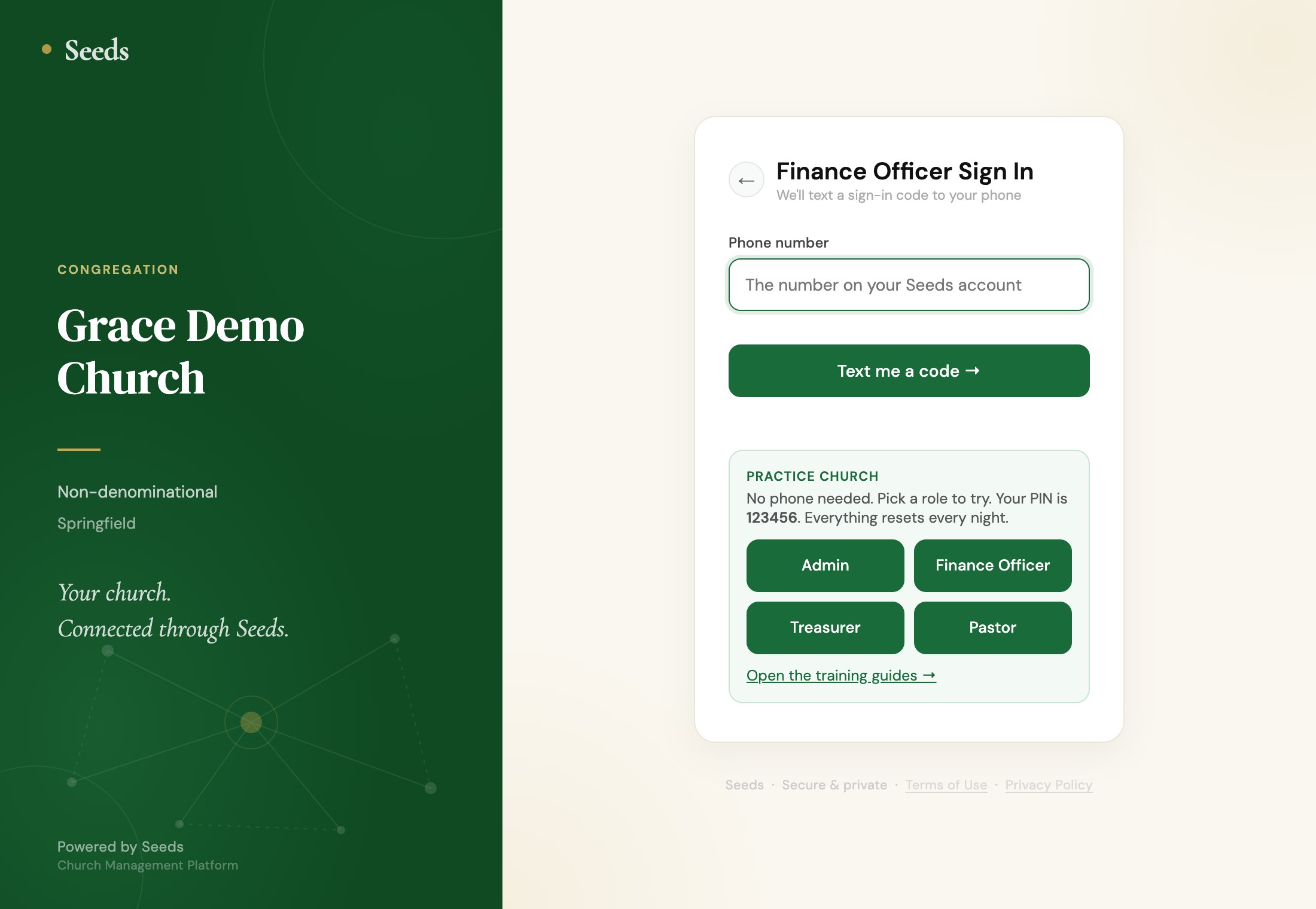
Others may be practicing at the same time. Everything goes back to how it was every night, so don't worry about mistakes.
Questions
Common questions
- I didn't get the sign-in code.
- Wait a minute, then tap Resend code. Check the number is the one your Admin added, with the country code (for example +1 555 123 4567).
- I forgot my PIN.
- Ask your church Admin to reset it (Users → Reset PIN). You'll choose a new one the next time you sign in. Admins: email the Seeds team for a reset link.
- I lost my phone.
- Tell your Admin straight away. They tap Lost phone next to your name, which signs you out everywhere. When you have a new phone, they tap Restore access.
- Why was I signed out?
- For safety, Seeds signs you out after 5 minutes without using it. Sign in again with your phone and PIN.
- I made a mistake in an entry.
- Open the same page and date, delete the wrong entry and enter it again. Every change is kept in the Audit Log, so the record stays honest.
- Still stuck?
- Email admin@seedsfinances.com. Tell us your church, your role and what you were trying to do.