Seeds
  • Features
  • How It Works
  • For Churches
  • Church Login
Church Financial Software

Stewardship,
made simple
and sacred.

Seeds helps churches around the world track tithes, manage members, record weekly offerings, and generate transparent financial reports — all in one secure platform.

Church Login See Features
100%
Cloud Backed
4
Officer Roles
∞
Member Records
Weekly Overview — Sun, May 25
Total Income
$4,820
↑ 12% vs last week
Expenses
$1,200
Security + Caretaker
Income breakdown
Tithe $3,200
Special Offering $980
Harvest $640
Net for deposit $3,620
Built for churches

Everything your finance team needs, nothing they don't.

Seeds is purpose-built for church finance officers, treasurers, and pastors. No complex accounting software — just the tools your congregation needs.

🙏
Tithe & Offering Records
Record tithes, special offerings, missions, VTO, and more. Every entry is timestamped, attributed to a member, and logged.
👥
Member Management
Maintain a complete membership directory with DOB, phone, address, and giving history. Import from Excel in seconds.
📊
Weekly Reports
Auto-generated weekly income and expense reports with bank deposit breakdowns, printable as PDF.
📄
Giving Statements
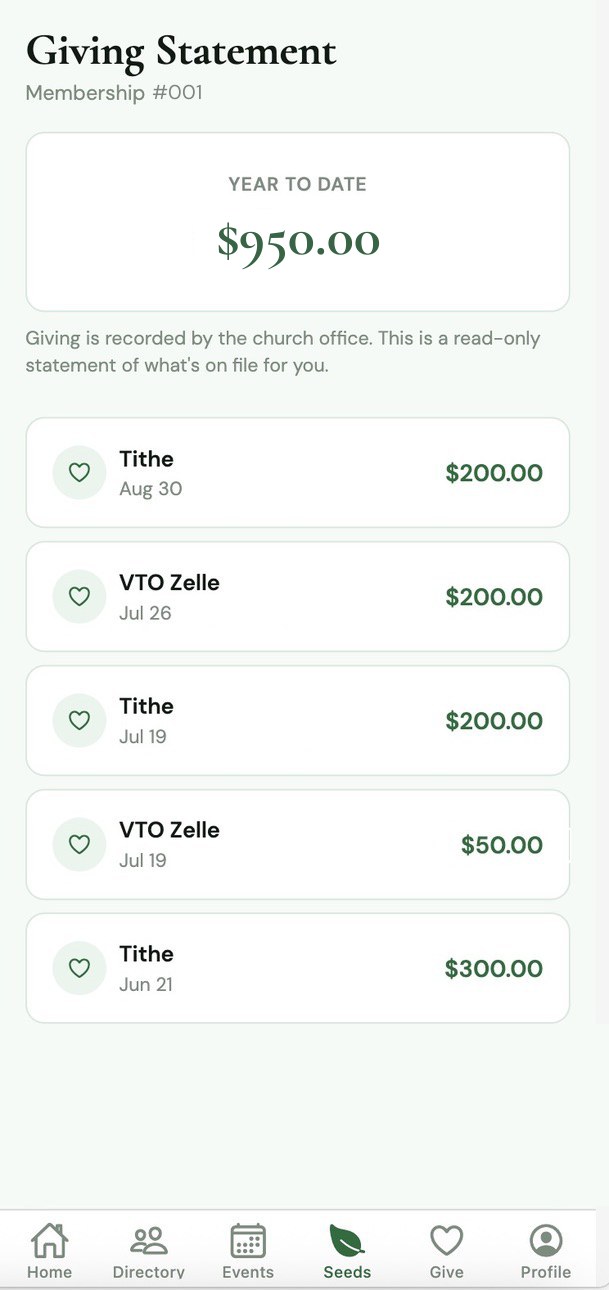
Annual giving statements per member — perfect for personal records and year-end acknowledgements.
🔐
Role-Based Access
Admin, Finance Officer, Treasurer, and Pastor roles — each with carefully scoped permissions. PIN-secured logins.
📱
Member Portal
Members log in with their membership number and PIN to view their own giving history and download statements — from any device.
🏦
Bank Allocation
Assign income categories and expense types to specific bank accounts. Weekly reports show deposit breakdowns per bank.
⛪
Sunday Services Log
Record the occasion and preacher for each Sunday service. Details appear on weekly reports automatically.
☁️
Cloud Sync
All data is stored securely in the cloud via Supabase. Officers and members access the same live data from any device, anywhere in the world.
Getting started

From request to running in four steps.

01
Submit a Request
Fill out the form below with your church name and admin details. Requests are reviewed within 48 hours.
02
Get Approved
Once approved, your church gets a unique URL (e.g. ?church=your-church) and admin credentials.
03
Set Up Your Church
Add your officers, import your membership list, and configure your bank accounts and income categories.
04
Go Live
Start recording tithes, generating reports, and letting members access their giving history from day one.

"Seeds has transformed how we handle our finances. Every Sunday, our finance team records offerings in minutes, and our reports are ready before the service ends."

PCG Ascension Congregation  ·  Early Access Church
Join Seeds

Bring Seeds to your church, anywhere in the world.

Seeds is currently invite-only. Submit a request and our team will review your application and get back to you within 48 hours.

  • ✓
    Free to get started. No setup fees or upfront costs during the early access period.
  • 🔒
    Your data stays yours. Each church has its own isolated data space. No cross-church data sharing.
  • ⚡
    Up and running in a day. We'll walk your admin through setup and data import.
  • 🌍
    Built for churches worldwide. Supports multiple currencies, international phone formats, and SMS via Twilio.
Request an Invitation
We'll review your request and contact you within 48 hours.
🌱

Request Received!

Thank you for your interest in Seeds. We've received your request for and will be in touch within 48 hours.

Seeds
© 2025 Seeds Church Financial Software. All rights reserved.
Request Access →
Seeds
Church Financial Software
Enter Church Code
Enter the 5-character code for your church.
Don’t have a code?
Request access →
Secure  ·  Cloud-backed  ·  seedsfinances.com
Seeds
Church Financial Software
Select your church
Don't see your church?
Seeds v14
Request Church Access
Submit a request to join Seeds. Approval is required.
Seeds Platform Admin
Manage churches and invitations
Platform Admin Login
Pending Requests
Active Churches
Add New Church
Migrate Data to Cloud
Export your local data and import it to the Supabase cloud database.
☩
Database Setup
Connect to your Supabase project
Both values are in your Supabase project → Settings → API
New to Supabase? Free at supabase.com
Seeds
Congregation
—
Seeds Church Financial Software
Welcome back
How are you signing in today?
Member Portal
Enter your membership number
Enter PIN
Officer Sign In
Enter your username to continue
Enter PIN
Seeds  ·  Secure & private  ·  Terms of Use  ·  Privacy Policy
Review Request
Seeds
PCG Ascension Congregation 📖 Manual
Financial Dashboard

Weekly Overview

Sunday Occasion:
Preacher:
Week of
Breakdown

Weekly Income (Cash/Checks)

💵
Digital

Weekly Income (Zelle)

⚡
No Zelle entries.
Breakdown

Weekly Expenses

📤
Trend

4-Week Summary

📈
Records

Tithe/Offering Entries

📋
No entries for this date.

Record Tithe/Offering And Special Offerings

⚲

Entries For Selected Date

Record other weekly income

Week of
Enter amounts for each income source. Leave blank if none.
✓ Saved
Week total: $0.00
Saved income records

Record expenses

Week of
Enter expense amounts. Leave blank if none.
✓ Saved
Week total: $0.00
Saved expense records

Members

🔍
No.NameDOBDay bornPhoneTotal givenEntries
Reports

Reports & Exports

🎉
Giving Statement
Annual member statement for tax purposes
📈
Summary Report
Totals breakdown — weekly or monthly
From
→
To
📋
Weekly Report
Income, expenses and net for a selected week
📊
Profit & Loss Statement
Income vs expenses — full financial summary for a date range
From
To

Sunday Services

Record Sunday Service
Service History

Audit Log

From to
Archive older than
Add new member
Basic information
Birth details
Contact details
Import members from Excel / CSV
Expected columns (header row required, order does not matter):
Name   Number   DOB   Day Born   Phone   Address
Only Name is required. All other columns are optional.
📄
Click to choose a file
Supports .xlsx, .xls, and .csv files
#NameNumberDOBDay BornPhoneStatus
SMS Notification Settings
SMS notifications are sent to members when their tithe is recorded. Powered by Twilio via a Supabase Edge Function.
Message preview
Dear [Name], your Tithe of GHS 100.00 on Sun, Jan 5, 2025 has been received. God bless you. — PCG Ascension Congregation
Setup instructions:
1. In your Supabase project go to Edge Functions and create a function named send-sms
2. Paste the Edge Function code from below into the function editor
3. Add your Twilio credentials as Edge Function secrets
4. Deploy the function and paste its URL above
Show Edge Function code (copy this into Supabase)

    
👤
Member Portal
PCG Ascension Congregation
📖 Help Guide
Year
Year total
—
Membership no.
—
Last giving
—
Breakdown by type
Monthly summary
Giving history
My Profile
Full Name
Phone
Address
Date of Birth
Day Born
Membership No.
Membership number cannot be changed.
Members

Merge Members

Select two members to merge. All tithe records from the Source member will be moved to the Target member, and the Source will be deleted.

Source (will be deleted)
→
Target (keeps records)
Bank accounts & deposit allocation
Define your bank accounts, then assign each income category to a bank. Any unassigned income goes to the default account. The Weekly Report will show how much to deposit into each bank.
Bank accounts
Income allocation
Assign each income source to a bank. Unassigned items go to the default bank.
Expense allocation
Assign each expense to a bank account (e.g. expenses paid from a specific account).
Manage staff users
Add and manage staff accounts. PINs must be exactly 4 digits.
Add new user
Edit entry